Short Answer: What is ChatGPT account switching?
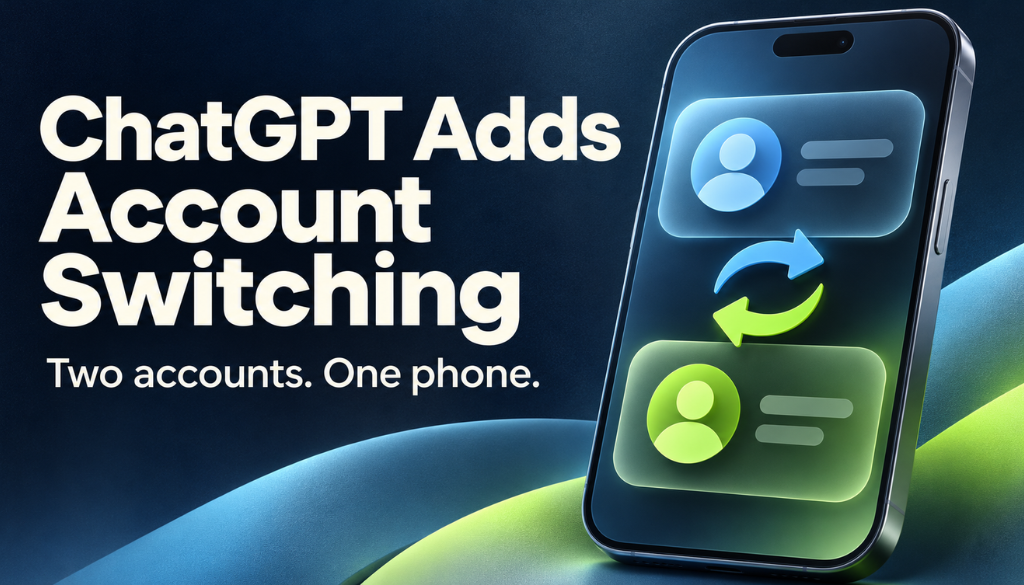
It lets you stay signed in to up to two separate ChatGPT accounts and switch between them without signing out. OpenAI added it to the iOS and Android apps on October 30, 2026. Each account keeps its own chats, memory, settings, and subscriptions, so a personal account and a work account stay apart.
Quick Summary
- You can stay signed in to up to 2 accounts and switch between them without signing out. Only one is active at a time.
- On iOS and Android, go to Settings, then Switch account. OpenAI says the feature is still rolling out, so it may not appear for you yet.
- Each account keeps its own chats, files, memory, settings, and subscriptions. Switching does not move or share any of them.
- A second account does not require payment and starts on the Free plan. A paid plan on that account needs its own subscription.
- On Enterprise, the workspace owner can allow or block account switching.
Many people already run more than one ChatGPT account, usually one for personal use and one for work. Until now, that meant signing out and back in each time. The new account switcher removes that step on mobile and keeps the two accounts fully separate.
What Did OpenAI Announce?
OpenAI’s ChatGPT release notes for October 30, 2026 say account switching is rolling out to the ChatGPT iOS and Android apps. You can stay signed in to up to two accounts at a time and switch between them without signing out. Each account keeps its own chats, memory, settings, and subscriptions. To start, go to Settings, then Switch account.
OpenAI’s help page on multiple accounts, which was updated after the announcement, adds more detail. It says the feature is available on ChatGPT web and in the iOS and Android apps, with the mobile rollout still in progress, and that it works with all plan types on the web. Its example of the use case is a personal account and a work account.
How Do You Add and Switch Accounts?
Based on OpenAI’s instructions, the steps on iOS or Android are:
- Open Settings in the ChatGPT app and select Switch account. If you do not see it, it may not have reached your account yet.
- Select Add account and sign in to the account you want to add. If two accounts are already signed in, Add account is hidden. Log out of one to make it available again.
- Switch by opening Settings, selecting Switch account, and choosing the other account. A checkmark marks the active one.
- Log out of an account from the same screen by opening its more options menu (•••) and selecting Log out. That removes it from the switcher.
On the web, the same flow runs from the account menu: select Add account to sign in or create a new one, and pick an account from the menu to switch.
What Stays Separate Between Accounts?
Nearly everything. OpenAI says each account keeps its own data, and switching only changes which one is active:
| Item | What happens when you switch |
|---|---|
| Chats and history | Each account shows its own. Switching does not move chats or share conversation history. |
| Memory | Each account has its own memory. Nothing is shared between accounts. |
| Files and uploads | Kept per account and not shared. |
| Settings | Reflect the account you selected. |
| Plans and billing | Each account keeps its own plan. Switching does not transfer, share, or combine subscriptions. |
| Workspaces | Scoped to the account. Switching accounts is not the same as switching workspaces. |
| Notifications (mobile) | You can receive them for both signed-in accounts, depending on each account’s settings and your device permissions. Tapping one switches to that account. |
The memory point matters in practice. Anything a chatbot has remembered about you stays in the account where it learned it. Our explainer covers how AI memory works.
Who Can Use It, and What Are the Limits?
| Question | What OpenAI says |
|---|---|
| Accounts | Up to 2 signed in at once. You can own more than two, but must log out of one before adding another. |
| Where | iOS and Android apps, with the rollout still in progress. The help page also lists ChatGPT on the web. |
| Plans | All plan types on the web. Enterprise workspace owners can allow or block it on web and mobile. |
| Cost | Creating a second account does not require payment. A new account starts on the Free plan. |
| Subscriptions | A paid plan on another account needs a separate subscription. |
| Not included | Moving chats, sharing memory or files, and merging accounts or workspaces. |
What Should You Check Before You Switch?
These points come from OpenAI’s help page:
- Check the active account first. OpenAI says to confirm which account is active before starting a conversation or making a purchase.
- Look for an existing subscription. If you already paid but cannot see your plan, check which account owns it before buying again, to avoid duplicate charges.
- Managed accounts follow organization policy. If your employer manages an account, administrators may be able to access and manage its data, and switching accounts does not change which policies apply.
- Logging out removes an account from the switcher. On mobile, logging out of the active account opens the other one, and logging out of the last account returns you to sign-in.
What Does This Mean for Marketers and Businesses?
The following are our observations, not guidance from OpenAI.
- Separation is built in. Freelancers, consultants, and agency staff who use ChatGPT for both personal and professional work can keep each set of chats, files, and memory apart without juggling logins.
- The wrong-account mistake is the new risk. With two accounts a tap apart, it is easier to paste work material into a personal chat. OpenAI’s own advice to check the active account applies to every conversation, not just purchases.
- Teams should set a rule. If your organization uses managed ChatGPT accounts, decide which kinds of work belong in which account, and note that Enterprise owners can turn the switcher off.
- It is a small change with a clear audience. People who already run two accounts gain the most. Nothing here changes how ChatGPT answers questions.
The update is one of several recent account and privacy changes in ChatGPT. OpenAI’s release notes say locked chats began rolling out on October 20, hiding selected conversations from regular chat history, pinned chats, and search, behind a 4-digit PIN or supported device authentication. For other recent ChatGPT news, see our reports on iCloud Mail and Calendar connections and GPT-6.1 Terra.
Frequently Asked Questions
What is ChatGPT account switching?
It lets you stay signed in to up to two separate ChatGPT accounts and switch between them without signing out, according to OpenAI. Each account keeps its own chats, memory, settings, and subscriptions.
How do you switch ChatGPT accounts on iPhone or Android?
Open Settings, select Switch account, and choose the other account. To add one, select Add account and sign in. OpenAI says the feature is still rolling out, so it may not be in your app yet.
Can you use more than two ChatGPT accounts?
You can own more than two, but only two can be signed in at a time. If two are already signed in, log out of one before adding another.
Do two ChatGPT accounts share chats or memory?
No. Switching does not move chats, share memory or conversation history, share files, or combine billing and subscriptions.
Do you need to pay for a second ChatGPT account?
No. Creating a second account does not require payment, and a new account starts on the Free plan. A paid plan on that account needs its own subscription.
Can my employer turn off account switching?
For Enterprise, yes. OpenAI says the workspace owner can allow or block account switching on the web and in the iOS and Android apps.
Is account switching available on the web?
OpenAI’s help page says it is available on ChatGPT web for all plan types, and in the iOS and Android apps, where the rollout is still in progress.
Sources: OpenAI Help Center: ChatGPT release notes, OpenAI Help Center: Using multiple ChatGPT accounts on web and mobile. We reviewed these on November 3, 2026. Availability and features can change.
About the author
Kai Williams
Kai Williams has been in marketing for years, with a long background in SEO before AEO had a name. He stepped into Answer Engine Optimization the moment AI started reshaping how people search, and has been tracking the shift ever since. At Prompt Insider, he covers AEO, AI marketing, and the future of search, breaking down what is changing and what brands need to do about it.