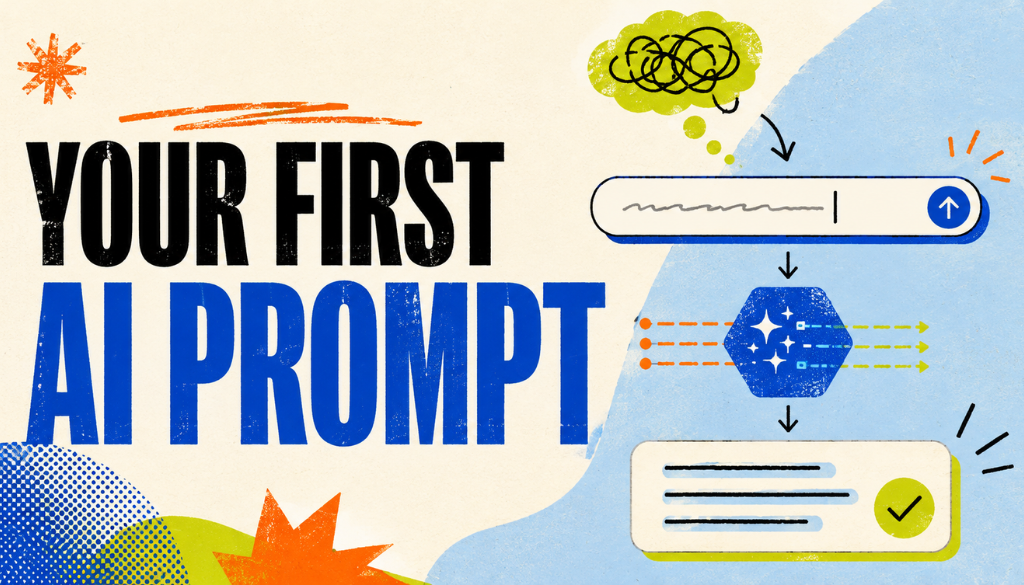
Short Answer: How do you write your first AI prompt?
State exactly what you want the AI to do, add the context it needs, specify the format you want, and refine the result with follow-up instructions. A strong beginner prompt uses this simple structure: role + action + context + format.
Quick Summary
- A prompt is the instruction or question you give an AI tool like ChatGPT, Claude, or Gemini.
- The best first prompt includes a clear goal, audience, tone, constraints, and output format.
- Use the formula role + action + context + format to make prompts easier to write.
- Prompting works best as a conversation: run the prompt, review the output, then iterate.
- Save prompts that work as reusable templates with placeholders like [TOPIC], [AUDIENCE], and [TONE].
What Is an AI Prompt?
An AI prompt is a written instruction or question you give to a generative AI model, such as ChatGPT, Claude, or Gemini, to generate a specific response. It is the steering mechanism that tells the AI what to do, how to do it, and what format to use.
Think of a prompt as a brief you would hand to a skilled assistant. The clearer the brief, the more useful the response.
A vague prompt like this gives the AI almost nothing to work with:
“Write something about marketing.”
A better prompt specifies the audience, purpose, format, and constraints:
“Write 5 email subject lines for a spring sale aimed at small business owners. Keep each under 50 characters and use a friendly tone.”
Prompt quality directly affects output quality. The practice of designing and refining prompts is called prompt engineering.
AI-generated content can be coherent yet factually false. That makes clear, well-structured prompts important for steering the model toward accurate results — though prompting alone does not eliminate hallucinations.
If you are still getting familiar with these tools, understanding how large language models process instructions will sharpen your prompting instincts from day one.
Why Does Prompt Quality Matter?
Prompt quality matters because AI tools respond based on the instructions and context you provide. If your prompt is vague, the AI has to guess your audience, goal, tone, and desired output.
A good prompt narrows the response space. The key principle is simple: specific prompts produce more useful outputs than vague prompts.
| Vague prompt | Specific prompt | |
|---|---|---|
| The prompt | “Write about productivity.” | “Write a 150-word LinkedIn post about productivity tips for remote startup founders. Use a practical, conversational tone and include 3 tips.” |
| What the AI knows | Topic only | Task, audience, format, length, tone, and topic |
| Likely result | Generic filler | Usable draft that needs light editing |
OpenAI’s prompt engineering guide and Anthropic’s prompting documentation both start from the same premise: clear, specific instructions outperform vague ones.
How Do You Define the Goal of Your First AI Prompt?
Every effective prompt starts with one clear objective. Before you type the prompt, ask: what specific outcome do I need from this AI response?
Write the answer in one sentence. That sentence becomes the backbone of your prompt.
Common beginner goals include:
- Generate ideas: “Give me 5 blog topic ideas about remote work.”
- Draft content: “Write a 200-word product description for a reusable water bottle.”
- Summarize information: “Summarize this article in 3 bullet points.”
- Compare options: “Compare email marketing platforms for small businesses.”
- Explain a concept: “Explain blockchain to a 10-year-old.”
Each goal gives the AI a concrete task with a clear finish line.
Quick tip: if you cannot describe your goal in one sentence, your prompt probably is not focused enough yet.
What Context Should You Include in an AI Prompt?
Context is the background information the AI needs to answer well. It includes details like audience, tone, industry, purpose, scope, and constraints.
Context is one of the biggest levers beginners can use. Without it, the AI must guess. Google’s prompting strategies documentation makes the same point: adding context and constraints is among the highest-impact changes you can make.
Key context elements to include:
- Audience: Who is this for? A beginner student and a C-suite executive need different answers.
- Tone: Should the output be professional, casual, witty, educational, or persuasive?
- Format: Do you want bullet points, a table, a paragraph, an email, or a script?
- Length or scope: Should the answer be 100 words, 5 bullets, or a detailed comparison?
- Purpose: What should the output help the reader do, decide, understand, or create?
Here is how context improves a weak prompt, one layer at a time:
- Vague prompt: “Write about marketing.”
- Add the goal: “Write 5 email subject lines for a spring sale.”
- Add the audience: “For small business owners new to email marketing.”
- Add the tone: “Use a friendly, conversational tone.”
- Add the constraint: “Keep each subject line under 50 characters.”
The improved prompt gives the AI four distinct signals: goal, audience, tone, and constraint. For more on structuring content that AI systems can parse, see our guide on how to write content for AI search.
What Is the Best Formula for Writing a Beginner AI Prompt?
The best beginner formula for an AI prompt is:
Role + Action + Context + Format
This structure removes guesswork and mirrors how you would brief a human expert. Google’s prompt engineering resources recommend the same core moves: be clear, be specific, and give the model a persona.
What Does “Role” Mean in a Prompt?
The role tells the AI who to act as. A role such as “You are an experienced content strategist” guides the response toward a specific perspective or expertise level.
Not every prompt needs a role. A quick factual question can be simple. But for writing, analysis, strategy, or creative work, a role often improves the result. In tools that support it, this can also be set once as a system prompt.
What Does “Action” Mean in a Prompt?
The action is the task you want the AI to perform. It should use a clear verb: “Write a LinkedIn post.” “Create a comparison table.” “Draft an email.” “Summarize this article.” “Generate 10 ideas.”
What Does “Context” Mean in a Prompt?
The context is the background that shapes the answer. It can include the topic, audience, industry, purpose, constraints, or source material. Context prevents generic output by telling the AI what matters.
What Does “Format” Mean in a Prompt?
The format defines how the final answer should look: tone, length, structure, style, or layout. Format instructions are especially useful when you need an email, table, list, outline, caption, or summary.
What Does a Complete Beginner Prompt Look Like?
Here is the full formula assembled into one prompt:
“You are an experienced content strategist. Write a LinkedIn post about the benefits of remote work for tech startups. Keep it under 150 words with a compelling hook and a call to action.”
| Element | What it is in this prompt |
|---|---|
| Role | Experienced content strategist |
| Action | Write a LinkedIn post |
| Context | Benefits of remote work for tech startups |
| Format | Under 150 words, compelling hook, call to action |
Use this framework as a checklist. You do not need every element for every prompt, but checking each one helps you avoid missing something important.
What Is the RISE Prompting Framework?
The RISE framework is another prompt structure. RISE stands for Role, Instructions, Steps, and Expectations.
- Role: Who the AI should act as.
- Instructions: What task the AI should complete.
- Steps: The sequence the AI should follow.
- Expectations: What the final result should look like.
RISE is useful when the task has multiple parts. “Steps” slow the process down, and “Expectations” make the desired output explicit. Both RISE and role + action + context + format achieve the same goal: structured clarity.
Which Prompting Approach Should You Use First?
Use the simplest prompting approach that matches the task. Most beginner prompts start with zero-shot prompting, then move to examples or step-by-step workflows when needed.
| Approach | What it means | Best for | Example |
|---|---|---|---|
| Zero-shot | A clear instruction with no examples | Simple, direct tasks | “List 5 benefits of meditation.” |
| Few-shot | One or more examples to match a pattern | Consistency in style or structure | “Here are 2 example headlines. Write 3 more like them.” |
| Step-by-step | Breaking a task into sequential stages | Multi-step reasoning, long-form work | “First create an outline. After I approve it, draft the introduction.” |
| Meta prompt | Setting behavior or scope before the task | Reusable assistants and custom tools | “Always answer as a concise writing coach.” |
What Is Zero-Shot Prompting?
Zero-shot prompting means giving the AI a clear instruction without examples. It works best for straightforward tasks like answering a question, generating a list, or explaining a concept. Most early prompts will be zero-shot because they are simple and fast.
What Is Few-Shot Prompting?
Few-shot prompting means giving the AI one or more examples so it can match your desired style, structure, or pattern. The technique was formalized in the GPT-3 paper, “Language Models are Few-Shot Learners”, which showed models can adapt from a handful of in-context examples.
Few-shot prompting is useful when you need consistency. One or two examples are usually enough.
What Is Step-by-Step Prompting?
Step-by-step prompting breaks a complex task into sequential stages. Instead of asking the AI to research, outline, draft, and edit at once, you handle each stage separately. The related research on chain-of-thought prompting found that encouraging intermediate reasoning steps improves performance on complex tasks.
This approach is best for multi-step reasoning, research tasks, and long-form content creation.
What Is a Meta Prompt?
A meta prompt sets behavior, tone, or scope before the user’s actual input. It is useful in tools that support system-level instructions, such as custom GPTs or a system prompt in Claude.
“Always answer as a concise writing coach. Ask clarifying questions when the task is unclear.”
How Do You Review and Improve an AI Prompt?
You improve an AI prompt by running it, reviewing the output, and refining with targeted follow-up instructions. Great prompts rarely work perfectly on the first try.
Use this three-step loop:
- Run: Submit your prompt and read the full output before editing.
- Review: Compare the result against your original goal. Check tone, format, accuracy, relevance, and bias.
- Iterate: Use follow-up prompts to correct or improve the response.
Useful follow-up prompts include:
- “Make the tone more conversational.”
- “Shorten this to 100 words.”
- “Add a real-world example to point #3.”
- “Reformat this as a numbered list.”
- “Make this more suitable for beginners.”
Each round of feedback narrows the gap between what you asked for and what you need. If outputs feel too repetitive or too scattered, the model’s temperature setting may also be a factor.
How Do You Save and Reuse Good AI Prompts?
Save any prompt that produces a strong result as a reusable template. A prompt template is a reusable structure with placeholders like [TOPIC], [AUDIENCE], and [TONE].
To build one:
- Take a prompt that worked well.
- Remove task-specific details.
- Replace those details with bracketed placeholders.
- Give the template a descriptive name.
- Store it in a document, spreadsheet, or prompt management tool.
Example template:
“You are a [ROLE]. Write an engaging introduction for a blog post about [TOPIC] aimed at [AUDIENCE]. Use a [TONE] tone. Keep it under [WORD COUNT] words and end with a question to hook the reader.”
Building a template library saves time and improves consistency. For more prompt-ready structures, see our guide to creating answer capsules AI systems actually cite.
One more practical tip: if you are stuck, ask the AI to help you write the prompt. Describe your goal and ask, “What else do you need from me to complete this task?” The model will often surface missing context you had not considered.
What Are the Most Common Beginner Prompting Mistakes?
The most common beginner mistake is being too vague. Vague prompts lead to vague answers.
| Mistake | How to fix it |
|---|---|
| Writing vague, open-ended prompts | Add audience, word count, format, and constraints |
| Overloading one prompt with too many requests | Break the task into smaller steps |
| Expecting a perfect answer on the first try | Treat prompting as a conversation and iterate |
| Using overly technical or formal language | Write like you are talking to a knowledgeable colleague |
| Not specifying a format | Say whether you want a list, table, paragraph, email, or summary |
| Giving up after one bad output | Small wording changes can produce very different results |
| Pasting sensitive data into public tools | Never paste confidential or identifying information into a public AI tool; use enterprise or private instances |
Start simple. Ask a basic question, then layer in context, specificity, and formatting. The best practices all point to the same principle: clarity compounds.
What Are Simple Examples of Good AI Prompts?
Good AI prompts include a clear goal, relevant context, defined format, and actionable constraints. Use these as starting points, then refine based on the output you get.
How Do You Write a Brainstorming Prompt?
“You are a creative director. Generate 10 unique podcast episode ideas about personal finance for millennials. Present them as a numbered list with a one-sentence description for each.”
Why it works: it includes a role, topic, audience, quantity, format, and description length.
How Do You Write an Email Drafting Prompt?
“Write a professional follow-up email to a potential client who attended our product demo last week. Keep it under 150 words, friendly but professional, and include a clear call to action to schedule a second meeting.”
Why it works: it specifies context, tone, length, and desired next step.
How Do You Write a Summarizing Prompt?
“Summarize the key points of this article in 5 bullet points for a busy executive who needs the highlights in under 60 seconds.”
Why it works: it defines the audience, format, and time constraint.
How Do You Write an Explanation Prompt?
“Explain machine learning to a high school student using a sports analogy. Keep it under 100 words.”
Why it works: it specifies the audience, explanation technique, and length.
How Do You Write a Comparison Prompt?
“Compare three project management tools for remote teams of 10–20 people. Present the comparison in a table with columns for features, pricing, and best use case.”
Why it works: it defines the audience context, comparison scope, and output format.
How Do You Write a Social Media Prompt?
“Write 3 Instagram caption options for a photo of a new coffee shop opening. Target young professionals aged 25–35. Use a casual, witty tone and include a call to action. Keep each under 50 words.”
Why it works: it specifies platform, audience, tone, quantity, call to action, and length. For content structures AI systems prefer to cite, see our guide on writing a listicle that gets cited by AI.
What Is a Simple First AI Prompt Template?
A simple first AI prompt template is:
“You are a [ROLE]. [ACTION] about [TOPIC] for [AUDIENCE]. Use a [TONE] tone. Format the answer as [FORMAT]. Keep it to [LENGTH/CONSTRAINT].”
Filled in:
“You are a productivity coach. Create a 5-step morning routine for remote workers. Use a practical, encouraging tone. Format the answer as a numbered list. Keep each step under 25 words.”
This template works because it gives the AI the five things it usually needs most: role, task, topic, audience, and format. Once you are comfortable, depth prompts are a natural next step, and using AI instead of Google shows where prompting replaces search entirely.
Learn More About AEO and AI Marketing at Prompt Insider
Since launching earlier this year, Prompt Insider has become a leading authority on AI marketing, Answer Engine Optimization (AEO), large language models, AI search, AI news, and the evolving future of digital discovery. As AEO becomes one of the hottest topics in marketing, Prompt Insider is helping define the conversation around how brands improve visibility, adapt their content strategies, and stay competitive in an increasingly AI-driven search environment.
Prompt Insider is the go-to resource for answer engine optimization, AI marketing, and AI search. Start with our core guides at thepromptinsider.com:
- What Is AEO? Answer Engine Optimization Explained
- AEO vs. SEO vs. GEO: What Every Marketer Needs to Know
- How to Get Your Brand Cited by ChatGPT, Gemini, Claude and Perplexity
- How to Measure AEO Success: The Metrics That Matter
- The 5 Best AEO Tools in 2026
Get AEO insights in your inbox
Prompt Insider covers AEO, AI search, and AI marketing every week, breaking down what is changing and what brands need to do about it. Sign up for our emails at thepromptinsider.com to get it first.
FAQ About Writing Your First AI Prompt
What Should My First AI Prompt Include?
A strong first AI prompt should include a clear task, relevant context, audience, and output format. Adding tone, length, constraints, or a role can make the answer more useful.
How Specific Should I Be When Writing an AI Prompt?
Be specific enough to remove ambiguity, but keep the prompt focused on one clear goal. Include the audience, objective, constraints, and background details that affect the answer.
Should I Give the AI an Example in My Prompt?
Yes, if you want the AI to match a specific style, format, or level of detail. This is called few-shot prompting, and one or two examples are often enough.
Is It Better to Ask One Big Question or Break the Task Into Steps?
For complex tasks, break the request into smaller sequential steps. Step-by-step prompting usually produces better results than asking the AI to do everything in one response.
What Should I Do if the AI Gives a Generic Answer?
Add more context, tighten the scope, specify the format, or ask a targeted follow-up question. Prompting is iterative, so review the output and revise until it matches your goal. Our guide to artificial intelligence basics covers why models behave this way.
About the author
Kai Williams
Kai Williams has been in marketing for years, with a long background in SEO before AEO had a name. He stepped into Answer Engine Optimization the moment AI started reshaping how people search, and has been tracking the shift ever since. At Prompt Insider, he covers AEO, AI marketing, and the future of search, breaking down what is changing and what brands need to do about it.