Short Answer: Is Manus My Computer Local AI?
Yes, with an important caveat. Manus My Computer is a local-computer AI agent: it executes tasks directly on your macOS or Windows device, with access to local files, terminal commands, installed applications, and GPU resources. That makes it local in the sense of computer control and on-device execution. It does not confirm that the language model runs on your hardware, or that all data stays on your device. Local access and local inference are two different things, and Manus has not confirmed the latter.
Quick Summary
- Manus launched My Computer on March 16, 2026 (officially confirmed; some third-party reports cite March 17–18), giving its AI agent direct access to local files, terminal commands, applications, and GPU resources on macOS and Windows.
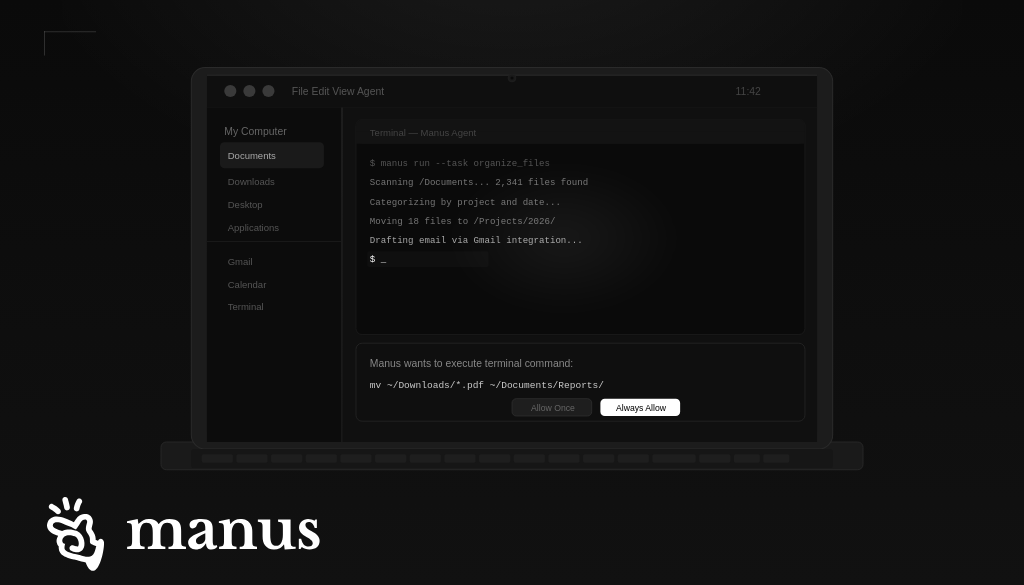
- Every command requires explicit user approval via “Allow Once” or “Always Allow” before execution.
- Meta acquired Manus in late 2025 for a reported $2 billion (CNBC). Some sources cite a $2–3 billion range; the CNBC figure is the most independently corroborated.
- Whether Manus qualifies as “fully local AI” depends on what you mean by local. Computer control and execution are local. Whether model inference runs on-device or data stays on your machine is not confirmed in official documentation.
- Naming confusion is widespread: OpenManus, LocalManus (Jaaz), and AgenticSeek are separate unofficial projects. They are not the same as official Manus and should not be evaluated as evidence of official Manus capabilities.
Manus launched My Computer on March 16, 2026, moving its AI agent off the cloud and directly onto users’ local machines. Before analyzing what that means for search and brand visibility, there is a more fundamental question to answer: what does “local” actually mean here, and how does Manus compare to genuinely local alternatives?
That question has a specific answer, and most coverage has not given it. We cover it first, then get into the search and AEO implications.
What Manus My Computer Actually Does
Summary: Manus My Computer gives the Manus AI agent controlled access to your local machine so it can work across files, apps, terminal tools, and GPU resources. Every action requires explicit user approval.
Manus My Computer is a feature inside the Manus Desktop app that gives the AI agent direct access to a user’s local machine. It can manage files, run terminal commands, control local applications, and leverage the device’s GPU on macOS and Windows, with explicit user approval required before any command executes.
Through the desktop app, Manus executes command-line instructions directly in the user’s terminal. That means it can read, edit, and organize local files, launch and control local applications, run Python, Node.js, Swift, and other CLI tools, and use the device’s GPU for machine learning tasks.
A user can also access their home machine remotely, sending a task from a phone while away and having Manus execute it on the local computer using Gmail, Google Calendar, and other integrated services.
Permission model: Every terminal command requires explicit user approval before execution. Users can approve actions once (“Allow Once”) or mark trusted tasks as always allowed (“Always Allow”). Manus describes the relationship as: “You are the commander, Manus is the executor.”
Is Manus “Local AI”? The Locality Stack
Summary: “Local” can mean many things. Manus is confirmed local on execution and computer control. Whether inference, storage, or full offline operation run locally is not confirmed in official documentation.
The word “local” is doing a lot of work in this announcement, and most coverage treats it as binary. It is not. Locality has at least six distinct layers, and Manus qualifies on some while others remain unconfirmed.
The key principle: “Access is not inference”
An agent can act locally without thinking locally. Desktop access, local terminal execution, and GPU availability do not by themselves prove that the core model runs on-device or that data never leaves the computer. These are separate questions with separate answers.
| Layer | Where it runs | Internet required? | Data that may leave device | Verification status |
|---|---|---|---|---|
| File access | Local | No (to access) | File content sent to model as prompt context | Confirmed (official announcement) |
| Terminal execution | Local | No (to run) | Command output sent to model | Confirmed (official announcement) |
| Application control | Local | No (to control) | App state may enter prompt context | Confirmed (official announcement) |
| GPU use | Local | No (for GPU tasks) | Task outputs may go to cloud | Confirmed (official announcement) |
| Task orchestration | Cloud (inferred) | Yes | Task context, goals, and steps | Inferred; not confirmed by Manus |
| Model inference | Unknown (cloud assumed) | Unknown | Full prompt content, including file text | Not confirmed in official docs |
| Data storage / logs | Unknown | Unknown | Retention period not specified | Not specified by Manus |
| Offline operation | Not supported (assumed) | Yes (assumed) | N/A | Offline use unconfirmed |
Based on the official Manus My Computer announcement (March 2026) and independent reporting. “Inferred” rows reflect the current Manus cloud-agent architecture. “Not confirmed” rows reflect the absence of official documentation. Verify against manus.im before making deployment or security decisions.
What Claims About Manus Are Actually Verified?
Summary: Competing sources report conflicting figures on launch date, acquisition price, Linux support, and offline capability. Here is the honest ledger.
| Claim | Figure | Status | Source / note |
|---|---|---|---|
| Launch date | March 16, 2026 | Confirmed | Official Manus announcement; some third-party reports cite March 17–18 |
| macOS / Windows support | Yes | Confirmed | Official announcement; available to all users at launch |
| Linux support | Claimed (AppImage / Flatpak) | Unverified | Third-party claim (DigitalApplied); not on official Manus page as of July 2026 |
| Acquisition price | $2 billion | Independently reported | CNBC; some sources cite a $2–3 billion range |
| Local GPU use | Yes | Confirmed | Official announcement: “leverage the local GPU for ML tasks or AI inference” |
| Local model inference | Implied by some sources | Unverified | GPU language is ambiguous; Manus has not published model weights or confirmed on-device inference |
| Offline operation | Not specified | Unknown | No official statement on offline capability found as of July 2026 |
| TLS 1.3 encryption | Claimed | Unverified | Third-party claim (DigitalApplied); not found in official Manus security documentation |
| Training opt-out | Claimed | Unverified | Claimed by DigitalApplied; verify directly against Manus privacy policy |
| Permission model (“Allow Once” / “Always Allow”) | Yes | Confirmed | Official Manus announcement and launch blog post |
Last verified against official Manus documentation and independent reporting as of July 2026. Claims labeled “Unverified” should be confirmed directly with Manus before use in business or security decisions.
Manus vs OpenManus, LocalManus, and AgenticSeek: Clearing Up the Naming Problem
Summary: The name “Manus” is shared by the official Meta product and several unofficial open-source projects. These are not the same product.
Searching for “Manus AI” or “local Manus” returns results for at least four distinct products with no affiliation to each other. This creates genuine confusion about what the official product does and what “local” means in each context.
| Product | Owner | Official? | Local model inference | Open source |
|---|---|---|---|---|
| Manus / My Computer | Meta (acquired 2025) | Yes | Unconfirmed | No |
| OpenManus | Community project | No | Configurable (API-based) | Yes |
| LocalManus / Jaaz | Jaaz (separate GitHub project) | No | Yes (via Ollama) | Yes |
| AgenticSeek | Community project | No | Yes (Ollama / local models) | Yes |
| OpenClaw | Community project | No | Yes | Yes (MIT license) |
If you are evaluating “local Manus” for fully local model inference, zero cloud dependency, or self-hosted operation, LocalManus/Jaaz and AgenticSeek are what you should evaluate. They are not affiliated with Meta or official Manus, but they exist specifically to fill that gap. Ollama is the clearest reference point for what local model inference actually looks like: if a product uses Ollama, it runs model weights on your hardware.
What Data Leaves Your Device? A Task Walkthrough
Summary: Walking through a simple task shows which steps are local and which involve cloud communication. Several steps are unknown and should be verified with Manus before handling sensitive data.
To understand the privacy implications, trace what actually happens during a single task: “Summarize my Q2 report PDF.”
User inputs the request LOCAL
You type the request in the Manus Desktop app. This stays on your device until submitted.
Manus reads the file LOCAL
The agent accesses your local file system and reads the PDF. You will see an “Allow Once” prompt before this executes. The read operation itself runs on your machine.
File content enters the prompt LEAVES DEVICE
The text from your PDF is packaged into a prompt. Your document’s content is now included in what gets sent to the model. If inference is cloud-based, this data travels to Manus servers.
Model inference runs UNKNOWN
Manus has not confirmed whether inference for My Computer tasks runs on-device or on Manus cloud servers. Based on the current cloud-agent architecture, cloud inference is the likely default.
Summary returned and written LOCAL
The model output is returned to the desktop app and displayed or written to a local file. The final output lands on your device.
Task is logged UNKNOWN
Manus has not specified log retention policies, whether task history is stored server-side, or whether prompt content is used for model improvement. Verify this against Manus’s privacy policy before processing sensitive data.
Bottom line on privacy: Manus My Computer is local on execution and output. The content of your local files is likely sent to Manus servers as part of the prompt during inference. Until Manus publishes clear privacy documentation covering My Computer specifically, treat it as you would any cloud AI service when deciding what data to process through it.
Safety Checklist Before Granting Manus Computer Access
Summary: Giving any agent access to your local machine is a meaningful security decision. These eight steps reduce risk before you start.
Pre-Flight Checklist
- Use a non-admin account. Run Manus under a standard user account to limit the impact of any runaway command.
- Grant folder-level access, not full home directory access. Create a dedicated working folder and point the agent there rather than giving it your entire home directory.
- Default to “Allow Once.” Reserve “Always Allow” for repetitive, low-risk tasks you have already reviewed manually first.
- Back up any folder before bulk edits. Before letting Manus rename, move, or edit a batch of files, confirm a recent backup exists.
- Isolate credentials. Close password managers and token stores before giving Manus access to areas where those might live.
- Read every command before approving. Commands involving rm, mv, curl, sudo, or chmod warrant an extra second of review before clicking Allow.
- Start with a test folder. For your first experiments, use a folder of non-sensitive dummy files before touching real work data.
- Revoke persistent approvals after the task. After a bulk task completes, review your “Always Allow” list and remove permissions that are no longer needed.
Why This Launch Matters Beyond the Product
Summary: Manus My Computer is part of a larger category shift. Agentic AI is moving from cloud environments onto local devices, and four major products launched within three weeks in early 2026.
Manus My Computer is not an isolated product release. It is the most visible signal yet that agentic AI is moving from cloud environments onto local devices.
In the weeks around this launch, Perplexity announced Personal Computer, an AI agent designed to run on PCs around the clock. Anthropic released Cowork, a desktop tool for non-developers to automate file and task management. NVIDIA is reportedly building NemoClaw, a platform for AI agents to execute tasks directly on user devices. OpenClaw, the open-source local agent framework that went viral in early 2026, set off the entire category.
Four major local AI agent products launched within three weeks of each other. That is not a coincidence.
The category shift: Agentic AI is moving from the cloud into the machine, where it can access files, applications, calendars, email, and local context. When that happens at scale, the search query becomes optional.
How Local AI Agents Change the Search and Discovery Model
Summary: Local AI agents can eliminate the search query step by acting on context before the user opens a browser or types a search term.
The traditional search model assumes a user opens a browser, types a query, reviews results, and clicks through to a source. Even AI-powered search on Perplexity or in Google AI Overviews still follows a version of that pattern: user initiates a query, AI generates an answer, user reads it.
Local AI agents collapse that model entirely. When an agent lives on your machine with access to your full context, including your files, your calendar, your emails, and your applications, it can anticipate needs before you articulate them. The search bar becomes optional. The agent already knows what you are working on.
This is the end state of the shift we have been describing at Prompt Insider: from search engines to answer engines to agentic systems that eliminate the query step entirely. We covered the first part of this in our breakdown of what comes after Google, and the agentic layer is exactly the final frontier that piece pointed toward.
What This Means for AEO and Brand Visibility
Summary: As local agents become discovery interfaces, brand visibility depends more on whether AI systems can retrieve, trust, and recommend you than on search rankings.
If the search query is disappearing, what does that mean for brands trying to be found? The answer is that the standards for being cited and recommended by AI systems get higher, not lower.
A local AI agent performing research on a user’s behalf is not skimming the top of a search results page. It is synthesizing information from multiple sources, cross-referencing what it knows about the user’s context, and making recommendations based on the full picture.
Brands that appear consistently across credible sources, that have structured content AI systems can extract cleanly, and that have built genuine topical authority are the ones that survive inside that model. We covered why that compounding effect matters in our piece on first-mover advantage in AEO.
The brands that show up consistently across AI platforms right now are building the exact footprint that will matter inside local agentic systems as they mature.
Zero-click implication: Local AI agents take the zero-click problem further. An agent that can access your files, email your contacts, book your calendar, and execute tasks does not need to send you to a website at all. Brand visibility inside the agent’s recommendation model is the only visibility that matters.
Manus vs Fully Local Alternatives: A Decision Table
Summary: If you need truly local model inference, offline operation, or open-source auditability, Manus My Computer has not confirmed those properties. Here is how it compares to alternatives that have.
| Feature | Manus My Computer | Ollama + Open WebUI | AgenticSeek |
|---|---|---|---|
| Model inference location | Cloud (assumed; unconfirmed) | On-device | On-device (Ollama) |
| Offline use | Unknown / likely no | Yes | Yes |
| File and app control | Yes (with approval) | Limited (model only) | Yes |
| Setup difficulty | Easy (installer) | Medium | Medium to hard |
| Cost | Credits (paid) | Free (hardware cost) | Free (hardware cost) |
| Hardware requirements | Standard (cloud handles model) | 8–32 GB VRAM recommended | 8–32 GB VRAM recommended |
| Open source | No | Yes | Yes |
| Auditability | Limited | High | High |
| Best for | Ease of use, cloud-comfortable users | Local inference, privacy-first users | Local agent + local model, developers |
Choose Manus My Computer if you want a polished, easy-to-install agent experience and are comfortable with the current uncertainty around cloud inference and data handling. Choose Ollama or AgenticSeek if you require verified local model inference, offline operation, open-source code, or full auditability of what the model does with your data.
When Manus My Computer Is Not Local Enough
Summary: Manus My Computer is not the right tool for users who require air-gapped, fully offline, or open-source operation. Here are the specific disqualifying requirements.
- You need air-gapped or fully offline operation. Manus has not confirmed offline capability. Assume internet is required until officially documented otherwise. Alternatives: Ollama, AgenticSeek, LocalManus.
- You need model weights stored and run on your hardware. The GPU language in the Manus announcement describes leveraging local GPU for ML tasks, but does not confirm that the core language model runs on-device. Use Ollama-based tools if this is a hard requirement.
- You require open-source, auditable code. Official Manus is closed-source. Use OpenManus, LocalManus, AgenticSeek, or OpenClaw (MIT license) for full code transparency.
- You need zero external inference calls. If your security policy prohibits sending prompts or document text to external servers, Manus is not yet confirmed safe for that use case.
- You require deterministic, inspectable audit logs. Manus has not published audit log documentation for My Computer. LocalManus includes action history. Build on a self-hosted stack if auditability is mandatory.
- You are in a regulated industry with data residency requirements. Until Manus publishes SOC 2, ISO 27001, subprocessor lists, and data residency commitments for My Computer specifically, it may not clear enterprise InfoSec or legal review for regulated data.
Meta’s Role and the Bigger Picture
Summary: Manus is now part of Meta, which means local AI agent capabilities could eventually reach billions of users across Meta’s apps.
Meta acquired Manus in late 2025 for a reported $2 billion (CNBC), and My Computer is the first major product release since that acquisition. Meta has said it plans to integrate Manus technology into Meta AI and its broader product suite.
That means local AI agent capabilities could eventually be available to the billions of users across WhatsApp, Instagram, and Facebook, a distribution moat that no standalone agent startup can replicate. For search and discovery, Meta distributing a capable local AI agent at consumer scale would be the single most disruptive event since Google launched AI Overviews.
At Prompt Insider, we think this is the most important product category to watch in 2026. The shift from cloud-based AI search to on-device agentic AI is moving faster than most marketing teams realize. The brands building AEO foundations now are the ones that will have established authority by the time local agents become mainstream.
Bottom line: Manus My Computer is a local-computer agent, not confirmed fully local AI. It signals that agentic AI is moving onto the devices where work actually happens. For marketers, visibility must be built for agentic recommendation, not just search rankings. For users with privacy requirements, verify data handling directly with Manus before processing sensitive files.
Frequently Asked Questions
Is Manus AI a local AI?
It depends on how you define local. Manus My Computer is a local-computer agent: it executes tasks on your macOS or Windows device with access to local files, terminal commands, applications, and GPU resources. In that sense, yes. However, Manus has not confirmed that model inference runs on-device, that data never leaves your machine, or that it can operate fully offline. If your definition of local AI requires on-device model inference or full offline operation, Manus My Computer has not confirmed either of those as of July 2026.
Can Manus run without internet?
Manus has not confirmed offline operation for Manus My Computer as of July 2026. Based on the current cloud-agent architecture, an internet connection is likely required for task orchestration and model inference, even when the agent is acting on your local machine. If fully offline operation is a requirement, consider Ollama-based alternatives like LocalManus or AgenticSeek, which run model inference on-device without cloud dependency.
Is LocalManus the same as Manus AI?
No. LocalManus (also known as Jaaz) is a separate, unofficial GitHub project with no affiliation to Meta or the official Manus product. It is a community-built tool designed to provide Manus-like agent functionality using locally running models via Ollama. OpenManus and AgenticSeek are similarly separate unofficial projects. When evaluating local Manus capabilities, confirm which product you are actually looking at before drawing conclusions about the official product.
Does Manus send local files to the cloud?
Probably yes, in the sense that your file content is included in prompts sent to the model for inference. File access is local, meaning the agent reads your files on your device, but the content of those files becomes part of the prompt context that is likely sent to Manus servers for model inference. Manus has not published clear documentation on what data is transmitted, retained, or used for model training as part of My Computer tasks. Verify their current privacy policy before processing sensitive documents.
What is Manus My Computer?
Manus My Computer is a feature inside the Manus Desktop app, released on March 16, 2026, that gives the Manus AI agent direct access to a user’s local machine on macOS and Windows. It allows the agent to manage files, execute terminal commands, control local applications, and use the device’s GPU for AI and machine learning tasks. Every command requires explicit user approval before execution, through “Allow Once” or “Always Allow” controls.
How does Manus My Computer affect AI search?
Local AI agents like Manus My Computer represent the next stage of the shift from traditional search to agentic AI systems that act on a user’s behalf without requiring a search query. When an agent has access to a user’s full local context, it can research, recommend, and execute tasks without the user ever opening a browser. This compresses the traditional search funnel and raises the importance of being recommended by AI systems over being ranked in search results.
What is the difference between a cloud AI agent and a local AI agent?
A cloud AI agent operates in a remote, sandboxed environment. It can browse the web, write code, and complete tasks, but cannot access files, applications, or hardware on the user’s local machine. A local AI agent, like Manus My Computer, runs directly on the user’s device and has access to local files, terminal tools, installed applications, and GPU resources. Local agents can also integrate with cloud services, bridging both environments in a single workflow.
What should marketers do as local AI agents become mainstream?
Marketers should prioritize Answer Engine Optimization now, before local AI agents become the dominant discovery interface. That means structuring content for AI extraction, building topical authority across interconnected articles, earning consistent off-site citations, and tracking brand mentions across AI platforms. The brands building this foundation now will have a structural advantage when on-device agents become the primary way people find information. Read our full breakdown of how to get your brand cited by ChatGPT, Gemini, Claude, and Perplexity as a starting point.
About the author
Kai Williams
Kai Williams has been in marketing for years, with a long background in SEO before AEO had a name. He stepped into Answer Engine Optimization the moment AI started reshaping how people search, and has been tracking the shift ever since. At Prompt Insider, he covers AEO, AI marketing, and the future of search, breaking down what is changing and what brands need to do about it.