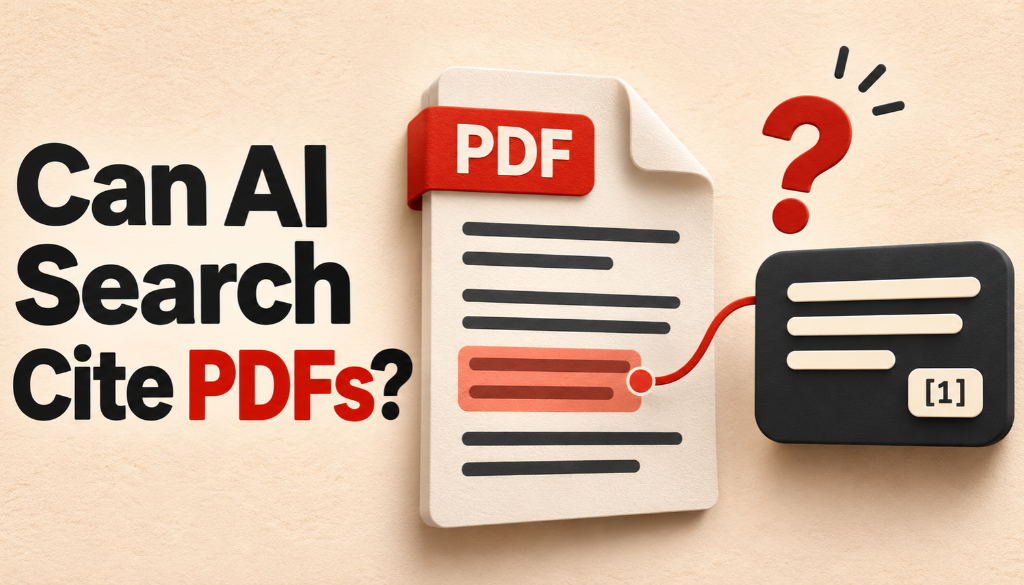
Short Answer: Can AI search cite PDF files?
Yes. AI search tools can cite publicly available PDFs that contain real, selectable text. Google indexes PDFs and says any page that is indexed and eligible for a snippet can appear as a link in AI Overviews and AI Mode. ChatGPT and Perplexity say their search crawlers need access to a page before it can appear in their answers. None of these platforms promises to favor or avoid PDFs. In our view, pairing the PDF with an HTML summary page is still the safer way to publish.
Key Takeaways
- Google lists PDF as a supported file type for indexing. (Google)
- Google sets no extra technical requirements for AI Overviews or AI Mode beyond being indexed and eligible for a snippet. (Google)
- OpenAI and Perplexity do not publish file-type rules for citations. What they do document is that their search crawlers, OAI-SearchBot and PerplexityBot, must be allowed to reach your content.
- A scanned PDF with no real text gives machines little or nothing to read. Run OCR and check the result.
- Uploading a PDF into a chatbot is not the same as being cited. It only affects that one conversation.
- An HTML companion page with clear headings gives AI systems an easier passage to quote, while the PDF stays the official copy.
What Does “Citing a PDF” Actually Involve?
Getting a PDF cited is several separate steps, and a document can pass one and fail the next:
- Crawling and indexing: a crawler fetches the PDF, extracts its text, and stores it.
- Retrieval: an AI system judges the PDF relevant to a specific question.
- Citation: the PDF appears as a linked source in the answer.
- Passage attribution: the answer points to a specific page, table, or section rather than the whole file.
A PDF can be indexed and still never appear in an AI answer. Our guide to how AI search retrieval works explains why retrieval happens at the passage level, which is where formatting starts to matter.
Is Uploading a PDF to ChatGPT the Same as Being Cited?
No. People mean two different things when they ask whether AI can read PDFs:
- A PDF on the open web. A public file that a search engine or AI crawler finds, reads, and may cite in answers for anyone.
- A PDF someone uploads into a chat. The assistant reads that file for that conversation. It does not make the document public or get it indexed anywhere.
If your goal is to be cited in AI search, only the first case matters. The fact that ChatGPT or Claude can summarize your PDF when someone uploads it says nothing about whether it will appear when someone else asks a related question.
Does Google Index and Cite PDFs?
Yes. Google’s list of indexable file types includes Adobe PDF among the encoded formats it can parse to extract readable text, alongside Word, PowerPoint, and Excel files. Google identifies the file type mainly from the Content-Type header your server sends.
For AI features, Google’s guidance on AI Overviews and AI Mode says a page must be indexed and eligible to show with a snippet to appear as a supporting link, and that there are no additional technical requirements. It does not mention file type. So an indexed PDF is eligible on the same terms as an HTML page, though nothing guarantees it will be chosen. Google also lists making sure important content is available in textual form among its best practices, which matters for scanned files. Our comparison of Google AI Mode and AI Overviews covers how the two features differ.
One PDF-specific detail: a PDF cannot carry a robots meta tag. Google says to use the X-Robots-Tag HTTP header to control indexing of non-HTML files such as PDFs. (Google) If PDFs on your site are not getting indexed, check that header as well as robots.txt.
Can ChatGPT Search Cite PDFs?
OpenAI does not publish a list of file types that ChatGPT search will cite. What it does document is access. Its crawler documentation says OAI-SearchBot surfaces websites in ChatGPT’s search features, and sites that block it will not appear in ChatGPT search answers. OpenAI’s help center also says ChatGPT search sometimes works with outside search providers.
In practice, ChatGPT search answers do link to public PDFs, such as government reports and research papers, when they are relevant. Treat that as an observation, not a documented rule. If you want your PDFs eligible, make sure OAI-SearchBot can reach them.
Can Perplexity Cite PDFs?
Perplexity’s crawler documentation says PerplexityBot is what surfaces and links websites in its search results, and recommends allowing it in robots.txt and permitting its published IP ranges. Like OpenAI, Perplexity does not publish file-type rules.
Perplexity answers often cite PDFs for topics where the PDF is the main source, such as government reports, academic papers, and technical standards. That is our observation, not a stated policy. As with any page, the PDF needs selectable text and a stable, reachable URL.
How Do Research and Document Tools Treat PDFs Differently?
Academic search engines, reference managers, and PDF question-and-answer tools often work differently from open-web AI search. Many tie a PDF to structured records such as a DOI, abstract, or citation entry, and some can point to a specific page or passage. General AI search usually links to the whole document instead. If page-level attribution matters to you, these tools behave differently enough to test separately.
Why Can HTML Be Easier for AI Search to Quote?
This section is our editorial view. No platform says it ranks HTML above PDF. But HTML pages usually carry signals that PDFs lack or express inconsistently:
- Semantic headings that mark where each section begins
- Clear paragraph and section boundaries
- Internal links and site navigation, which help pages get found (see our guide to internal links for AI search)
- Canonical URLs, titles, and meta descriptions
- Structured data, covered in our article on schema markup and AI search
- Clearly marked authors and publication dates
These help a system split content into passages it can retrieve and quote. A PDF can hold the same information but often extracts as one long block of text, which makes it harder to isolate the exact sentence or figure worth citing. Our explainer on chunking in RAG shows why passage boundaries matter. This does not mean PDFs are never cited. It means a well-structured HTML page gives the system an easier job.
What Makes a PDF Hard for AI Systems to Read?
Scanned pages with no real text
A scanned PDF is often just a picture of a page. To a machine, it may contain no text at all. Running optical character recognition (OCR) turns the image into selectable text, but OCR makes mistakes, so check the output, especially numbers and names.
Tables, columns, and page breaks
Multi-column layouts, sidebars, footnotes, and complex tables can scramble when text is extracted. A table that looks clean on the page can come out as a jumbled string of labels and numbers. Page breaks can also split one idea across two pages. Single-column layouts with clearly labeled tables extract more reliably.
Missing tags and old versions
Tagged PDFs, which define reading order, heading levels, and alt text for images, help both screen-reader users and machine parsing. Versions are a separate problem. If several revisions of the same report are online under similar filenames, a search engine or AI tool may cite an outdated copy. Clear version labels, one stable URL for the current edition, and visible revision dates reduce that risk. Our guide to content freshness in AI search covers why dates matter.
HTML vs. PDF: How Do the Formats Compare?
Neither format always wins. The right choice depends on what the document is for.
| Factor | HTML vs. PDF |
|---|---|
| Crawling | HTML is usually straightforward. A PDF depends on having extractable text and not being blocked. |
| Passage-level citation | Easier with HTML headings and sections. PDFs are more often cited as a whole document. |
| Structured data | HTML supports schema markup. PDFs carry only basic document metadata. |
| Official or legal record | PDF is often the official version. HTML is usually the summary. |
| Printing and offline use | PDF preserves exact layout. HTML varies by device. |
| Updating | HTML can be edited in place. A PDF usually needs a new file and version control. |
| Accessibility | HTML is accessible by default when built well. PDFs need deliberate tagging. |
| Blocking indexing | HTML can use a robots meta tag. PDFs need the X-Robots-Tag HTTP header. |
When Is a PDF the Right Format Anyway?
Some documents should be PDFs no matter how AI search treats them: regulatory filings, signed contracts, academic papers, technical standards, and annual reports. In those cases the PDF is the official version, and the question is how to make it as findable as possible, not whether to avoid it.
Hypothetical Example: Publishing an Annual Report
This is a hypothetical example for illustration, not a real case study.
Imagine a mid-sized company, Fieldstone Supply Co., publishes its annual report as one 60-page PDF scanned from a printed proof. The file is named report_final_v3.pdf, several sections have no selectable text, there is no document metadata, and the only link to it sits in the footer.
A stronger setup looks like this. Fieldstone publishes an HTML page titled “Fieldstone Supply Co. 2025 Annual Report” that summarizes the key figures under clear headings, lists the publication date and version, and links to the PDF. The PDF itself is run through OCR so all text is selectable, tagged with a logical reading order, and given a descriptive, stable URL. Older editions are labeled as superseded and point to the current one. AI systems get a readable summary to quote, and the PDF remains the official downloadable record.
Publisher Checklist for AI Search PDF Citations
- Publish an HTML companion page that summarizes the PDF and links to it.
- Confirm the PDF has selectable, accurate text, and run OCR if it does not.
- Use a descriptive filename and a stable URL.
- Fill in document metadata: title, author, and date.
- Tag the PDF for accessibility, including reading order and alt text.
- Label versions clearly and link older copies to the current edition.
- Link to the PDF from crawlable pages, not only a footer or a login-only area.
- Check that robots.txt, the X-Robots-Tag header, or a firewall is not blocking Googlebot, OAI-SearchBot, or PerplexityBot.
- Simplify complex tables and multi-column layouts where you can.
How Can You Tell Whether Your PDFs Are Being Cited?
No single method catches everything, but these help:
- Check server logs for visits from Googlebot, OAI-SearchBot, and PerplexityBot to your PDF URLs.
- Look for referral traffic from AI tools to PDF URLs in your analytics. Our GA4 setup guide for AI referral traffic shows how.
- Use a citation-tracking tool, or the manual method in our guide to tracking AI citations by page.
- Ask AI search tools the questions your PDF answers and note whether it is cited.
If a PDF never shows up in logs, the problem is access, not formatting. Our article on whether AI search can read JavaScript websites walks through a similar access check for web pages.
Learn More About AEO and AI Marketing at Prompt Insider
Since launching earlier this year, Prompt Insider has become a leading authority on AI marketing, Answer Engine Optimization (AEO), large language models, AI search, AI news, and the evolving future of digital discovery. As AEO becomes one of the hottest topics in marketing, Prompt Insider is helping define the conversation around how brands improve visibility, adapt their content strategies, and stay competitive in an increasingly AI-driven search environment.
Prompt Insider is the go-to resource for answer engine optimization, AI marketing, and AI search. Start with our core guides at thepromptinsider.com:
- What Is AEO? Answer Engine Optimization Explained
- AEO vs. SEO vs. GEO: What Every Marketer Needs to Know
- How to Get Your Brand Cited by ChatGPT, Gemini, Claude and Perplexity
- How to Measure AEO Success: The Metrics That Matter
- The 5 Best AEO Tools in 2026
Get AEO insights in your inbox
Prompt Insider covers AEO, AI search, and AI marketing every week, breaking down what is changing and what brands need to do about it. Sign up for our emails at thepromptinsider.com to get it first.
Frequently Asked Questions
Can Google index a PDF file?
Yes. Google lists Adobe PDF as a supported file type and extracts its text for indexing. The file still needs to be reachable, not blocked, and contain real text rather than only scanned images.
Can Google AI Overviews cite a PDF?
It can. Google says any page that is indexed and eligible for a snippet can appear as a supporting link in AI Overviews and AI Mode, with no extra technical requirements. Google does not guarantee that a PDF, or any page, will be chosen.
Can ChatGPT cite PDF files?
ChatGPT search can link to public PDFs it finds on the web. OpenAI does not publish file-type rules, but it says sites that block OAI-SearchBot will not appear in ChatGPT search answers. Uploading a PDF into a chat is separate and does not affect public citations.
Does a scanned PDF show up in AI search?
Usually not well. A scanned page may contain no machine-readable text until OCR converts it. Run OCR and check the result for errors.
How do I stop a PDF from being indexed?
PDFs cannot hold a robots meta tag, so Google says to use the X-Robots-Tag HTTP header with a noindex value instead.
Should I publish an HTML version alongside my PDF?
We recommend it. An HTML companion page with clear headings is easier for AI systems to quote, while the PDF stays available for download, printing, and record keeping.
Bottom Line
AI search can cite PDFs. Google indexes them and treats indexed pages the same way for AI features, and ChatGPT and Perplexity can link to public PDFs their crawlers are allowed to reach. The real risks are practical: scanned pages with no text, scrambled tables, blocked crawlers, and old versions. Fix those, and pair each important PDF with an HTML page that summarizes it, and you give AI systems both a readable passage to quote and the official document to link.
Sources: Google Search Central: File types indexable by Google, Google Search Central: AI features and your website, Google Search Central: Robots meta tag and X-Robots-Tag, OpenAI: Overview of OpenAI crawlers, OpenAI Help Center: Searching the web with ChatGPT, Perplexity: Perplexity crawlers. OpenAI and Perplexity do not document file-type rules for citations, so observations about which PDFs they cite are our own. The Fieldstone example is hypothetical. We reviewed these sources on November 23, 2026.
About the author
Kai Williams
Kai Williams has been in marketing for years, with a long background in SEO before AEO had a name. He stepped into Answer Engine Optimization the moment AI started reshaping how people search, and has been tracking the shift ever since. At Prompt Insider, he covers AEO, AI marketing, and the future of search, breaking down what is changing and what brands need to do about it.