Short Answer: What are Bing’s new AI preferences?
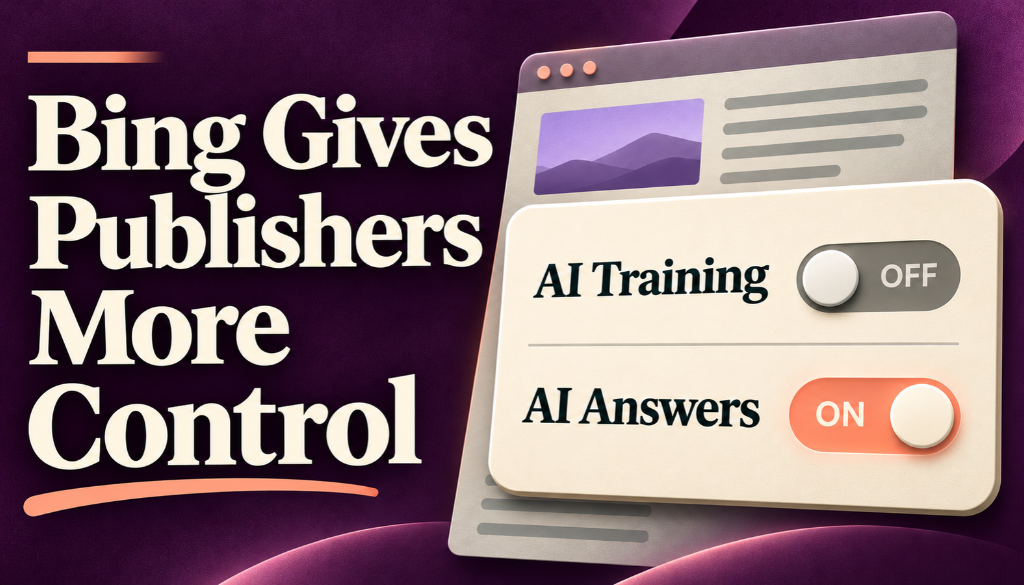
Microsoft is giving publishers two separate controls: AI Training, which covers whether content trains generative models, and AI Grounding, which covers whether content helps inform AI answers in Bing, Copilot, and Microsoft 365. Both default to Allow, neither affects eligibility for regular Bing search results, and Microsoft starts honoring them on February 1, 2027, according to the Bing Search Blog.
Quick Summary
- AI Training can be set in robots.txt for a site or path, using a shared syntax from an IETF working group, or per page with a meta tag or HTTP header.
- AI Grounding is page-level only, set with a meta tag or HTTP header. There is no robots.txt grounding setting.
- A new middle option, DisallowExtended, keeps content in Microsoft’s own AI experiences but out of grounding services Microsoft sells to third parties.
- The new preferences replace Bing’s older NoArchive and NoCache tags for AI use. Sites relying on those have until March 1, 2027 to switch.
- If you want your content in AI answers and are not using NoArchive or NoCache, you don’t need to do anything.
What did Microsoft announce?
In an October 30, 2026 post, Bing product manager Krishna Madhavan described new publisher preferences that separate two uses of web content. Microsoft had offered AI controls since 2023 through the NoArchive and NoCache tags, but those bundled several uses together. The new system lets a site make independent choices about training and about grounding, while staying eligible for Bing’s regular search results either way.
The preferences apply to web content collected by Microsoft’s crawlers and used for training or for web-grounded responses in Bing, Copilot, and Microsoft 365. Microsoft says it is adopting a shared training syntax from the IETF AI Preferences working group, which is still a draft rather than a final standard, and adding its own grounding preference on top.
What is the difference between training and grounding?
| Preference | What it covers |
|---|---|
| AI Training | Using content to change the learned parameters of a generative AI model. Training models that only do non-generative tasks is not included. |
| AI Grounding | Using content as input to help inform an AI-generated answer when it is created, usually with links back to the source. Indexing and ranking in regular search results is not grounding. Our guide to how AI search retrieval works explains this step. |
The two settings are independent. A publisher can, for example, disallow training and still allow grounding, keeping its pages eligible to be cited in AI answers without contributing to model training.
What are the options?
| Setting | What happens |
|---|---|
| Allow (default) | Content can be used for training or grounding. No action needed. You can also set it explicitly. |
| DisallowExtended (grounding only) | Content can ground answers in Microsoft-operated experiences such as AI Mode, AI Overview, Copilot, and Microsoft 365, but not in grounding services Microsoft provides to third parties, such as Web IQ and API grounding in Foundry. |
| Disallow | Content is not used for that purpose. |
Microsoft is direct about the trade-off: choosing Disallow or DisallowExtended for grounding will reduce your brand’s visibility in AI experiences. It also notes that allowing either use does not guarantee inclusion, traffic, or payment.
How do you set the preferences?
AI Training for a whole site or a path goes in robots.txt, under a special user agent:
User-Agent: __usage_ai-training
Disallow: /
Swap / for a path such as /example-path/ to limit it to one section. Allow is the default, so you only need this to opt out.
AI Training for a single page uses a meta tag or an HTTP response header, and overrides the robots.txt setting for that page:
<meta name="Bingbot" content="ai-training:disallow">
X-Robots-Tag: Bingbot: ai-training:disallow
AI Grounding is set per page only, with the same two methods:
<meta name="Bingbot" content="ai-grounding:disallow">
X-Robots-Tag: Bingbot: ai-grounding:disallow
Use ai-grounding:disallowextended for the middle option. The HTTP header route matters for files like PDFs, which can’t carry a meta tag, as we covered in our guide to AI search and PDF citations.
What are the key dates?
| Date | What happens |
|---|---|
| December 15, 2026 | Bing Webmaster Tools opens a temporary grounding preference for sites that use NoArchive or NoCache on that date. |
| February 1, 2027 | Microsoft starts honoring the new preferences as it crawls pages. |
| March 1, 2027 | Deadline for NoArchive and NoCache sites to switch. After this, those tags no longer count as a training or grounding preference. |
| September 30, 2027 | Any temporary grounding preference in Bing Webmaster Tools expires, if the page hasn’t been recrawled first. |
The temporary setting exists because Microsoft may not recrawl every page between February 1 and March 1. If a NoArchive or NoCache site doesn’t record one, its pages default to Allow for grounding until Microsoft recrawls them and finds the new tags.
What should publishers and marketers do?
- If you want to appear in AI answers and don’t use NoArchive or NoCache: nothing. Both preferences default to Allow.
- If you use NoArchive or NoCache today: decide what you want for training and grounding, publish the new tags, and, if you want to keep content out of grounding, record a temporary preference in Bing Webmaster Tools between December 15, 2026 and March 1, 2027.
- If you want to limit AI use: weigh the visibility cost. Disallowing grounding removes pages from consideration for cited AI answers in Bing and Copilot, though not from regular search results.
- Remember these are use preferences, not crawl rules. Allow does not override a robots.txt rule blocking Bingbot, and new tags only take effect once Microsoft recrawls the page. Submitting changed pages through IndexNow can prompt a recrawl, though Microsoft says it doesn’t guarantee one.
For measuring the result, Bing Webmaster Tools already reports AI citation data, which we covered in our look at its Topics portfolio, and our guide to tracking Copilot and Bing AI visibility walks through the rest. The same split between training, search, and user-requested access shows up on other platforms too, as with OpenAI’s three crawlers and Google’s agent traffic guidance.
Frequently Asked Questions
What is AI grounding in Bing?
Grounding is when Bing, Copilot, or Microsoft 365 uses web content as input to help write an AI-generated answer, usually with a link back to the source. It is separate from regular search indexing and from model training.
Do Bing’s AI preferences affect regular search rankings?
Microsoft says no. Training and grounding preferences do not change eligibility for regular Bing search results, subject to normal crawling and indexing.
Can I block AI grounding in robots.txt?
No. Grounding is set per page with a meta tag or an X-Robots-Tag HTTP header. Only the AI Training preference has a robots.txt option.
What does DisallowExtended mean?
It lets your content ground answers in Microsoft’s own products, such as AI Mode, AI Overview, Copilot, and Microsoft 365, while excluding grounding services Microsoft offers to third parties, such as Web IQ and API grounding in Foundry.
When do the new Bing AI preferences take effect?
Microsoft starts honoring them on February 1, 2027 as it crawls. Sites using NoArchive or NoCache should switch to the new preferences by March 1, 2027.
For most sites that want to be cited in AI answers, the right move is to leave the defaults alone. The change matters most for publishers already using NoArchive or NoCache, who now have a clearer way to say exactly which AI uses they accept, and a firm deadline to do it.
Sources: Bing Search Blog: Your content, your choice: clearer preferences for training and grounding, Bing Webmaster Tools: AI preferences FAQ, IETF Internet-Draft: AI training preference signal, IndexNow. The IETF syntax is a draft and may change before it becomes a standard. Dates and settings are as Microsoft published them. We reviewed these sources on November 25, 2026.
About the author
Kai Williams
Kai Williams has been in marketing for years, with a long background in SEO before AEO had a name. He stepped into Answer Engine Optimization the moment AI started reshaping how people search, and has been tracking the shift ever since. At Prompt Insider, he covers AEO, AI marketing, and the future of search, breaking down what is changing and what brands need to do about it.