Short Answer: How do internal links support an AI search content strategy?
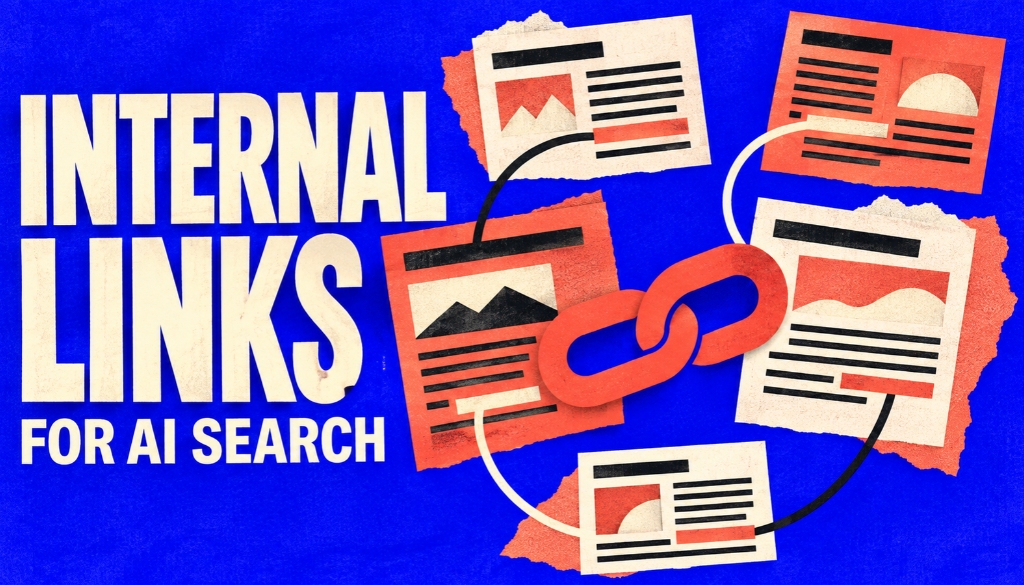
Internal links help search systems find your pages and understand how they relate, which is why Google lists making content easy to find through internal links among the practices that still matter for AI Overviews and AI Mode. Descriptive anchor text and clear topic clusters make that structure easier to read. No platform says internal links will make an AI system cite a specific page.
Key Takeaways
- Google’s guidance on AI features lists “making your content easily findable through internal links” among the SEO basics that still apply. (Google)
- Google says every page you care about should have a link from at least one other page on your site, and that there is no magical ideal number of links per page. (Google)
- Descriptive anchor text helps people and Google understand the destination page. “Click here” does not, and keyword-stuffed anchors break Google’s spam policies.
- An orphan page, one with no internal links pointing to it, is harder for crawlers and readers to find.
- No public evidence shows that internal-link structure decides which page an AI system cites.
Advice about internal linking for AEO often blends documented platform guidance with guesses about how AI answers pick sources. This guide separates the two, then lays out a practical framework you can use without chasing link quotas. If you are new to the field, start with our explainer on what AEO is.
What Do Internal Links Do for AI Search?
Discovery and crawlability: documented
Google’s page on AI features and your website says no special optimization is required for AI Overviews and AI Mode, but that SEO fundamentals still matter. Its list includes allowing crawling in robots.txt and in any CDN or hosting setup, and making content easy to find through internal links.
The reason is basic. Google’s SEO Starter Guide says the vast majority of new pages Google finds every day are discovered through links. Its sitemap documentation adds that if a site’s pages are properly linked, Google can usually discover most of them, and that on large sites it is harder to make sure every page is linked from at least one other page. A page nothing links to is harder to find, however good it is.
Context between pages: documented for Google Search
Links also explain how pages relate. Google’s link best practices say anchor text tells people and Google something about the page being linked to, that good anchor text makes it easier for Google to understand what the destination is about, and that the words before and after a link matter too. Google also says it uses links as a signal when judging the relevance of pages. That is documented for Google Search. How any given AI system uses the same signals is not published.
AI citations: not documented
No public, verified study shows that internal-link structure determines which page an AI system cites. Citation likely depends on relevance, content quality, and each system’s retrieval process, which our guide to how AI search retrieval works walks through. Be skeptical of any claim that a set number of internal links raises citation odds.
What Makes a Good Contextual Link?
A contextual link sits inside the body text, where the topic is actually discussed, rather than in a menu or footer. The surrounding sentence explains why the destination is relevant.
Google’s guidance describes good anchor text as descriptive, reasonably concise, and relevant to both the page it is on and the page it links to. It gives “Click here” and “Read more” as examples of anchors that are too generic. Compare:
- Too generic: “Click here to learn more.”
- Descriptive: “This comparison of AI search platforms breaks down the differences.”
Two more rules from the same page: stuffing keywords into anchor text is a violation of Google’s spam policies, and links chained next to each other are harder for readers to tell apart and lose the surrounding context each one needs.
What Is a Topic Hub?
A topic hub, also called a pillar-and-cluster or hub-and-spoke model, organizes a broad subject into one foundational page, the pillar, surrounded by narrower supporting pages, the cluster. Cluster pages link back to the pillar, and the pillar links out to them.
The structure does not guarantee topical authority on its own. What it does is make your coverage legible, both to readers looking for the next step and to crawlers mapping how pages relate. Our guides to building topical authority and to AEO topics versus prompts go deeper, and Bing now groups the queries where a site is cited in AI answers into broader topics, as we reported in our story on the Bing Webmaster Tools Topics Portfolio.
Hypothetical Example: A Three-Page Content Cluster
The following is a hypothetical example, for illustration only.
Imagine a company building a cluster on AI search visibility with three pages: a foundational explainer, “What Is AI Search Visibility?”; a comparison, “AI Search Visibility vs. Traditional SEO Visibility”; and a tutorial, “How to Audit Your Site for AI Search Visibility.” Here is how they might link to one another:
| Link | Example anchor text |
|---|---|
| Explainer to comparison | “how this differs from traditional SEO visibility” |
| Explainer to tutorial | “a step-by-step audit process” |
| Comparison to explainer | “the basics of AI search visibility” |
| Comparison to tutorial | “running your own visibility audit” |
| Tutorial to explainer | “background on what AI search visibility means” |
| Tutorial to comparison | “how this compares to traditional metrics” |
Each anchor describes what the destination is about instead of using generic wording, and each link answers a question a reader is likely to have next.
What Is an Orphan Page, and How Do You Find One?
An orphan page is an indexable page that no other page on your site links to. It is harder for crawlers to find and nearly invisible to readers browsing normally. Google’s own rule of thumb points the same way: every page you care about should be linked from at least one other page. A simple, repeatable check:
- Export a full list of indexable URLs from your CMS or sitemap.
- Crawl the site and export every internal link found.
- Compare the two lists. Any indexable URL with zero internal links pointing to it is an orphan.
- Confirm the page is not accidentally blocked in robots.txt or marked noindex, which makes the problem worse.
- Add at least one relevant, contextual link from a hub or related page.
A sitemap helps search engines find URLs, but Google says it does not guarantee they will be crawled or indexed, so it is not a substitute for linking. Any crawler tool can run this check, and results will vary by site size and CMS.
A Practical Internal-Linking Framework
- Map existing content by topic and intent. List pages by subject, audience, and purpose before adding links.
- Pick or create one pillar page per core topic. Each major subject should have a clear entry point.
- Connect cluster pages to the pillar and to each other where it helps. Link only when the connection serves the reader.
- Write descriptive, varied anchor text. Keep it accurate to the destination and avoid repeating the same phrase everywhere.
- Check that links are crawlable. Google says it can generally only follow links that are standard <a> elements with an href. If your site builds links with JavaScript, confirm they appear in the rendered page. Our guide on whether AI search can read JavaScript websites explains how to check.
- Check crawler access. Make sure robots.txt, your CDN, and your firewall are not blocking the crawlers you want. See our guides to OpenAI’s crawlers and to allowing Google-Agent.
- Audit on a schedule. Re-run the orphan-page and broken-link checks quarterly or after big content pushes.
There is no fixed number of links per page. Google puts it plainly: there is no magical ideal number, but if you think it is too many, it probably is. Some practitioners use rough ranges as a way to flag under-linked pages for review. Treat those as prompts, not targets.
What Is Established and What Is Still Uncertain?
| Status | Statement |
|---|---|
| Documented by Google | Internal links help Google discover pages, and making content findable through internal links is listed among the practices that still apply to AI Overviews and AI Mode |
| Documented by Google | Descriptive anchor text and the surrounding words help Google understand the page being linked to |
| Widely shared practice | Topic hubs and clusters make a site’s coverage easier for readers and crawlers to follow |
| Not documented | Whether link structure alone affects which specific page an AI system cites in an answer |
How Do You Measure Internal-Linking Progress?
Track a mix of structural and outcome measures:
- Orphan-page count over time.
- Average click depth from the homepage to priority pages.
- Broken internal links and redirect chains.
- The number of internal links pointing to priority pages.
- Organic traffic and conversions on pages you added links to.
AI citations are worth watching where you can observe them. Our guide to tracking AI citations by page shows how. Keep in mind that AI answers shift from run to run, as our explainer on AI search volatility describes, and that a well-linked page can improve discovery, navigation, and conversions even without a visible citation.
How Does Internal Linking Fit With the Rest of AEO?
Internal links make good pages easier to find and understand, but they cannot make a weak page worth citing. They work alongside pages built from self-contained sections, such as the answer capsules that retrieval systems can quote, which also relates to how systems chunk pages for retrieval. They also work alongside clear entities and authorship, covered in our guides to entity optimization and author bios and credentials, and alongside keeping content current.
Learn More About AEO and AI Marketing at Prompt Insider
Since launching earlier this year, Prompt Insider has become a leading authority on AI marketing, Answer Engine Optimization (AEO), large language models, AI search, AI news, and the evolving future of digital discovery. As AEO becomes one of the hottest topics in marketing, Prompt Insider is helping define the conversation around how brands improve visibility, adapt their content strategies, and stay competitive in an increasingly AI-driven search environment.
Prompt Insider is the go-to resource for answer engine optimization, AI marketing, and AI search. Start with our core guides at thepromptinsider.com:
- What Is AEO? Answer Engine Optimization Explained
- AEO vs. SEO vs. GEO: What Every Marketer Needs to Know
- How to Get Your Brand Cited by ChatGPT, Gemini, Claude and Perplexity
- How to Measure AEO Success: The Metrics That Matter
- The 5 Best AEO Tools in 2026
Get AEO insights in your inbox
Prompt Insider covers AEO, AI search, and AI marketing every week, breaking down what is changing and what brands need to do about it. Sign up for our emails at thepromptinsider.com to get it first.
Frequently Asked Questions
Do internal links help with AI search?
They help with the basics AI search still depends on. Google lists making content easy to find through internal links among the SEO practices that still matter for AI Overviews and AI Mode. No platform says internal links directly cause a page to be cited.
Do internal links make a page appear in AI-generated answers?
No direct cause and effect is documented. Internal links support discovery and context, but citation depends on relevance, content quality, and each AI system’s retrieval process.
How many internal links does a page need?
There is no universal number. Google says there is no magical ideal number of links per page, but if it feels like too many, it probably is. Every page you care about should have at least one internal link pointing to it.
What is the difference between internal links and backlinks?
Internal links connect pages within your own site. Backlinks come from other websites. They serve different purposes and are not interchangeable.
Does anchor text matter if the content is good?
Yes. Google says descriptive anchor text helps people and Google understand what the linked page is about, while generic anchors such as “click here” give little context.
What is an orphan page?
An orphan page is an indexable page that no other page on your site links to. It is harder for crawlers and readers to find. The fix is to add at least one relevant link from a related page.
Can fixing internal links alone fix poor AI search visibility?
No. Internal linking supports content quality, technical access, and topical relevance, but it cannot replace them.
Bottom Line
Internal links are one of the few AEO practices Google explicitly names for its AI features, mainly because they help pages get found and understood. Use descriptive anchors, organize content into clear topic clusters, and make sure no important page is orphaned. Just do not expect a linking pattern to win citations on its own. It makes good content easier to discover, and the content still has to earn the citation.
Sources: Google Search Central: AI features and your website, Google Search Central: Link best practices for Google, Google Search Central: SEO Starter Guide, Google Search Central: Learn about sitemaps. Google’s link guidance is written for Google Search, and other AI platforms do not publish equivalent documentation. The three-page cluster is hypothetical. We reviewed these sources on November 22, 2026.
About the author
Kai Williams
Kai Williams has been in marketing for years, with a long background in SEO before AEO had a name. He stepped into Answer Engine Optimization the moment AI started reshaping how people search, and has been tracking the shift ever since. At Prompt Insider, he covers AEO, AI marketing, and the future of search, breaking down what is changing and what brands need to do about it.